All posts by Craig Murphy

Managing Iterative Development Using Scrum

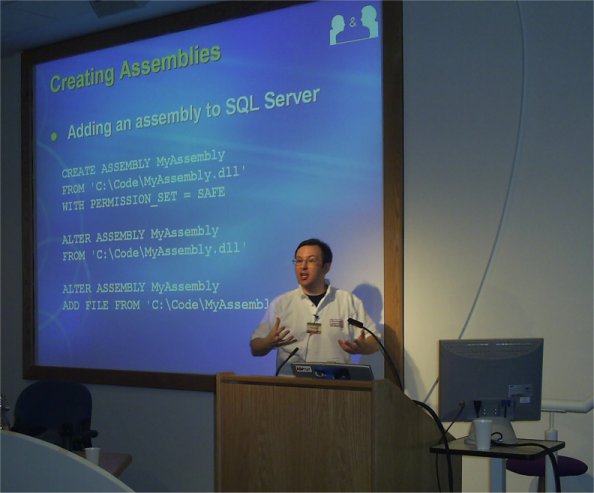
I delivered this session at the UK’s first DeveloperDeveloperDeveloper day on 14th May 2005. My slide deck and elementary backlog spreadsheet are available here.

I’ve recorded a blogcast (my first) that demonstrates how the product backlog spreadsheet works. I had a cold whilst recording this, hence the occasional cough’n’splutter! I’m hosting the blogcast myself for now, just until I see what happens to the bandwidth (if it moves, I’ll update this posting). Product Backlog Spreadsheet – the blogcast!

Also available over at here: http://www.blogcastrepository.com/Dev/Contrib/Cmurphy/ScrumBackLogExample_CAM.htm

The Art of Preparation…

Now, you’re probably going to think that I’m going way off-topic here, however stay with me, there is method in my madness.

Preparation is everything. I’m not talking about big upfront design, huge specifications or huge requirements documents. I’m talking about the basic preparation that we (not just software developers) need to do in order to do a good job.

If my memory serves me (and MSN Search confirms that it does), Sir Robert Baden-Powell, founder of the scouting movement coined the phrase and motto: “always prepared”. Preparation is something you can either do too much of, in which case cost increases for no perceived benefit, or you can do too little of it…and things go from bad to worse. Knowing when you’ve prepared enough is key… it’s similar to Antoine de Saint-Exupery’s famous quote:

A designer knows he has achieved perfection not when there is nothing left to add, but when there is nothing left to take away.

However, there is a fundamental difference between perfection and preparation: You need not achieve perfection, for the customer may accept something that is less than perfect. However, if you fail to prepare sufficiently, you may not have that luxury, your customer may have seen you flounder early in the project and may not have the tolerance to accept a product that is less than perfect (despite the fact it is virtually impossible to deliver such perfection).

A slight aside
A long time ago, 1991 to be exact, I took six lessons in preparation for the IAM driving test. This is a driving test that you can actually fail and still drive away from. What caught my attention, even in 1991, was the amount of preparation that the test expects drivers to go through each and every time they enter a vehicle with the intention to drive. For example, there’s a whole “starting drill” and a “stopping drill”. During the drive, each and every drive, IAM drivers are expected to provide a running commentary of what they see and what the can expect to see (granted it’s best to make this commentary audible during the test in order to avoid a barrage of questions like “did you see X?”, “were you aware of the dustcart?”, etc.) A lot of folks have asked me what the commentary was like…so rather than create a new one (which wouldn’t be difficult in this day and age, MP3 players, etc.) I remembered the bits’n’bobs my instructor gave me…

My instructor provided me with a few things: a couple of heavily photocopied pieces of paper and an audio cassette that had to be returned. The audio cassette was a regular compact cassette that you and I might have recorded the “Top 40” on when we were a little younger (showing my age now, hey!) There wasn’t any evidence of copyright on the cassette, so I made a copy of it, and now I’ve converted it to an MP3. So, if you’ve ever wondered what the IAM driving commentary sounds like, you can listen to a short drive here [6.5MB]. (I have more commentary, send me an e-mail if you would like it.)

While you’re listening to that, here’s what those two photocopied sheets contained – the starting drill and the stopping drill (remember, do this every time you choose to drive somewhere):

STARTING DRILL

  1. Check The Handbrake For Tension.
  2. Check Doors Secure
  3. Seating Position
  4. Check Mirrors
  5. Seat Belts
  6. Static Brake Test
  7. Starting The Engine
  8. Primary Auxiliaries
  9. Windows
  10. Secondary Auxiliaries
  11. Mirror/Gear
  12. Mirror/Signal
  13. Shoulder Checks
  14. Moving Brake Test

STARTING DRILL – expanded

  1. Check The Handbrake For Tension. Do this by locating the handbrake with your left hand, take a firm grasp. press in the release button with your thumb and take up the strain ensuring the handbrake is on. then release the button, leaving it in the on position.
  2. Check Doors Secure. Take the hand furthest from the door, place it on top of the door at the window. nearest the opening edge, pull first then push. (The reason you pull first is to prevent an insecure door from opening into the path of another road user). Then ensure that your passengers secure their doors and report same to you.
  3. Seating Position. Check your seating position by placing your left foot against the bulkhead, this being the furthest your foot travels during the clutch pedal operation. Then with your arms flexed at the elbows, slide your hands from the ten to two position to the twelve o’clock position and then down to the six o’clock position to ensure your steering movement will not be restricted. Make sure you are not stretching or are too cramped and have a good accessibility to the controls. If you have to move your seat, warn any passengers behind you before moving. Do this even when moving forward.
  4. Check Mirrors. Check the rear view mirrors. The internal mirror is adjusted by using the thumb and index fingers of both hands, placing one at each corner of the mirror, taking care not to place any unnecessary strain on the mirror stern or of smudging the glass. line up the top of the mirror with the top of the rear window. The check that the external mirrors afford you a good view to the rear.
  5. Seat Belts. “The wearing if seat belts in this vehicle is now compulsory and as such must he used”. Demonstrate how to locate, fit and check them by locating the belt with your hand furthest from it, and pull some of the webbing. Then transfer it yo your other hand, pull out more webbing and at the same time locate the holder with your first hand and then insert the buckle into the holder. Whilst still holding the buckle and holder check it is secure by giving it one firm pull. Also ensure that all slack has been taken up in both straps and neither are twisted. Also indicate at that time the method of release. Then get your passengers to locate fit and check their seat belts in the same manner and report on the same. (Make sure they do it properly)
  6. Static Brake Test. Carry out a static brake test by depressing the brake pedal with your right foot for three or four seconds, to ensure that there is pressure in the system, and that it can be maintained. Report on the same.
  7. Starting The Engine. Take a grip of the gear lever by wrapping your fingers round it so the top of the gear lever just shows between your thumb and index finger. Depress the clutch. move the gear lever into neutral and once across the gate. With the clutch depressed start the engine. Release the clutch pedal slowly ensuring there is no breakdown in transmission linkage which might cause the vehicle to surge either forwards or backwards.
  8. Primary Auxiliaries. Now from left to right and top to bottom. select any minor auxiliaries which might be required at this stage, eg. heating and ventilation controls, rear screen de-mister and sidelights. Raise the engine revolutions to 1500 (fast idle) and get off your instrument panel from left to right, and top to bottom. Return the engine to normal tick-over speed.
  9. Windows. Ensure all windows are closed and have your passengers check theirs and report on the same.
  10. Secondary Auxiliaries. Select any major auxiliaries required. such as windscreen wipers. dipped headlights. etc.
  11. Mirror/Gear. Check internal mirror and in there is a suitable gap to the rear, select your moving off gear.
  12. Mirror/Signal. Check internal mirror again and if necessary signal to road users your intention to move off.
  13. Shoulder Checks. Carry out deep left and right shoulder checks prior to moving off ensuring that you explain the reason for doing so.
  14. Moving Brake Test. immediately on moving off report that the hand brake warning light has gone out(if applicable) and that your first consideration will be a moving brake test which will be carried out by building up the speed of the vehicle to 20mph in 2nd gear and then braking down to 10mph without depressing the clutch. Select a flat and level stretch of road with no inherent dangers and after nominating a suitable point. carry out the brake test. If on a hill the vehicle should be braked down from 25mph to 15mph. Then give a short report on the efficiency of the brakes. If the brake test cannot be carried out at that time, outline the alternative methods of carrying out the same. i.e. by braking early and firmly at the approach to the first hazard or by braking 10mph off your speed whilst travelling at a speed up to but not exceeding 50mph.

STOPPING DRILL

  1. Always ensure that you pick a safe place to stop.
  2. Prior to stopping, check the relevant mirrors and put your car on course early.
  3. If stopping completely off the main road, complete the full system. i.e. features 1-6 (from here) prior to leaving the main road. If, however, it is merely a parking area adjacent to the road or at the road side then continue through with feature 2 and in the last few yards prior to stopping depress the clutch with the left foot and ease the pressure off the foot brake.
  4. Immediately prior to the wheels stopping revolving, remove your right foot from the foot brake and then gently reapply thus preventing nose dip.
  5. Thereafter, and not against the ratchet, apply the hand brake.
  6. Move the gear level into the neutral position.
  7. Remove both feet from the brake and clutch pedals.
  8. From the right to left switch off any major auxiliaries and thereafter from left to right cancel all minor auxiliaries.
  9. Switch off the engine.
  10. Check your mirrors and if it is safe, depress the clutch pedal with your left foot and engage a suitable parking gear.
  11. Check your mirrors again and if it still safe remove and stow your seat belt in a neat and tidy manner not allowing the buckle to fly back and hit the glass. Ensure passengers do likewise.
  12. Again check you mirrors and look deep over left and right shoulders into to blind spots at the rear of the vehicle. Always tell your passengers to do likewise before they leave the vehicle.

So preparation prior to driving is important, it has health and safety implications. Similarly, preparation after driving is important too. There’s preparation pre and post-drive: projects should have a similar pattern, i.e. some preparation at the start and end of the project.

[Incidentally, these drills were scanned from its original A4 format using OmniPage 12.0]

Excel: Column Number to Letter(s)

I found myself working inside Excel this week, doing a little bit of VBA…

It has been a while since I had to work inside this environment, my memory was stretched as I tried to remember what code I had already written (short libraries), etc. My troubles were compounded by the fact that the machine I was using did not have the VBA Help for Excel installed, so I was relying on my memory…which isn’t a good thing!

So I’m grateful for the existence of Dick’s Blog and in particular this post.

I had the need to convert a column number into it’s alphabetic counter-part…e.g. ColumnLetter(1) returns A…I was pleased to find this code snippet over at Dick’s blog:

Function ColumnLetter(ByVal colNum As Long) As String
Dim i As Long, x As Long
For i = Int(Log(CDbl(25 * (CDbl(colNum) + 1))) / Log(26)) - 1 To 0 Step -1
x = (26 ^ (i + 1) - 1) / 25 - 1
If colNum > x Then
ColumnLetter = ColumnLetter & Chr(((colNum - x - 1) \ 26 ^ i) Mod 26 + 65)
End If
Next i
End Function

It was just the ticket – thanks Dick!

DDD2 is over…

DeveloperDeveloperDeveloper is over, I must say that this was the busiest event I’ve played a part in organising (both from the sheer number of attendees and the number of tracks!) It took me until Sunday morning to relax (I did however, enjoy the euphoria of the event and the post-event drinks!)

Please visit http://www.developerday.co.uk/feedback2.asp and let us know what you thought of the sessions, the organisation, anything in fact…we’ll listen and act upon it. If you thought something sucked (like that pratt who dropped a can of Dr.Pepper at the back of Dinus’ session, for example…I’m sorry, btw!), tell us: we will do something about it for next time. And if something went well, we’d like to hear about that too.

We had 320 attendees, 30 sessions spread over 5 tracks. Only one session had to be swapped out due to speaker illness; a further two sessions were swapped to allow a delayed speaker time to arrive.

After the success of the first DDD day and now the success and overwhelming attendance figures at the second DDD day, if you liked what you saw and would like to be a part of the next one (likely to be Q2 2006), get in touch. We’ll happily take suggestions for topics, offers of sessions, and any other support – you’ll find my e-mail address available here: http://www.craigmurphy.com

Anyway, here are a few of my photographs of the event, more to follow: (let me know if you’d like full size copies)

ddd
The view from the stairs: lots of attendees, lots of q’n’a

ddd
Anton did a good job stepping in at the last minute (thanks Anton!)

ddd
Brian and Guy – the food must have been good!

ddd
Remember to thank the catering staff at events!

ddd
ddd
ddd
Daniel (aka lennybacon) and Amy – there’s sparkle between them…of the camera flash!

ddd
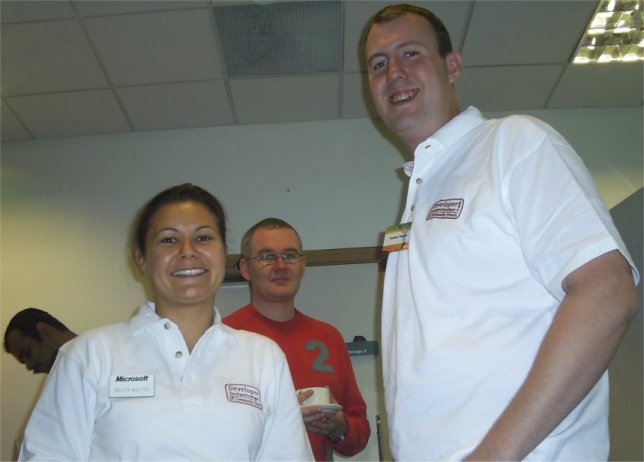
Melita and Jonathan – without whom, there would be no DDD venue or web-site: much thanks are due! Melita also organised the rather cool DDD polo shirts sported by organisers and speakers!

ddd
Melita and Sarah

ddd
ddd

ddd
DDD rocks! The youngsters (Iron Maiden were not on the agenda! May be next time?)

Microsoft’s product launch event…free products…INETA mirroring

Are you ready for the launch event of 2005?

rock

Click here to register for a launch event near you – London events are filling up fast, hence the second London day.

Attend one of the launch events and I am reliably informed that you’ll receive full copies of VS2005 Pro and SQL Server 2005 Standard – can’t be bad!

If you are unable to register or simply can’t make it on those days, fear not: your local INETA group is likely to be mirroring some of the launch material (albeit through November, December, etc.)

Don’t know what your local INETA user group is called? There’s a list here.

I’ll be attending Edinburgh on December 7th.

ScottishDevelopers – October 27, Edinburgh, Plumbing with Spring

Plumbing with Spring explores the philosophy and practice of the Dependency Injection design pattern (also known as Inversion of Control), a strategy for meeting the service and configuration requirements of components which can vastly simplify the job of testing assemblies and knitting an application together. Although there are a number of other frameworks available that support this approach, I’ll be looking specifically at Spring, a low-overhead open-source solution available for both Java and .NET. The session will consist of approximately 30% chat and 70% code examples.

Douglas Lindsay is currently working for JPMorganChase in Glasgow, designing and building large-scale systems with Java and Oracle. Previously, he has developed software for a number of companies, including The Solution Works who offer quality bespoke software development services; and the National Engineering Laboratories whose main focus is on research for the oil and gas sector. Besides Java, Douglas has experience with Delphi and C#, and has a number of years’ experience in both desktop and web application development.

Venue: Edinburgh (five minutes walk out of town from Haymarket railway station)

Start time: 1930

Registration and further information can be found here (free’n’quick registration required).

Spam: recognition

Two things:

1. I know this is spam
2. I know the kind of folks who this is targeted at

Anyway, a lot of folks have asked me “how do I know if something is dodgy?” It can be a difficult question to answer as a lot of IT “things” are intuitive, it’s obvious. But end users (friends too) don’t want to hear that, they want to know what they can look out for.

Sometimes it’s easy, sometimes end users (and friends) visit dodgy sites, downloading toolbars on they way. Here’s a tip, if a web-site opens a pop-up window and offers you a great new search toolbar, ignore it, click on the red close icon in the top left of the pop-up (or, better still, shut the machine down). The same goes for anything that offers to rid your machine of adware, spyware or other such nasties: it’s very likely that your machine was relatively free from such things…until you click “yes, please scan my computer for adware, etc.”

I’m working on a rather lengthy article/blog posting that covers my suggested security tips, but to keep my writer’s block from setting it, I thought I’d push this out now.

Here’s a typical example of a dodgy e-mail…my comments are in bold italic…they should be enough to get you started.

Return-path: < rmoore @lotto.nl> there’s a space after the ‘moore’ and before the ‘r’
Received: from punt-3.mail.demon.net by mailstore
for id 1E7Big-0000Uk-Lm;
Mon, 22 Aug 2005 12:48:06 +0000
Received: from [194.217.242.77] (helo=anchor-hub.mail.demon.net)
by punt-3.mail.demon.net with esmtp id 1E7Big-0000Uk-Lm
for ; Mon, 22 Aug 2005 12:48:06 +0000
Received: from [217.158.187.220] (helo=drake.uknoc.co.uk)
by anchor-hub.mail.demon.net with esmtp id 1E7Big-0002rC-Ik
for ; Mon, 22 Aug 2005 12:48:06 +0000
Received: from [84.246.8.20] (helo=rmoore@lotto.nl) no space
by drake.uknoc.co.uk with smtp (Exim 4.52)
id 1E7Big-00087e-RE
for ; Mon, 22 Aug 2005 13:48:07 +0100
From: “Director Moore”
To:
Subject: Congratulations: Vernus Millionaire Lotto winner !!! Sounds like a famous name UK-based gambling group…
Mime-Version: 1.0
Content-Type: text/plain; charset=”iso-8859-1″
Date: Mon, 22 Aug 2005 14:48:09
X-AntiAbuse: This header was added to track abuse, please include it with any abuse report
X-AntiAbuse: Primary Hostname – drake.uknoc.co.uk
X-AntiAbuse: Original Domain – scottishdevelopers.com
X-AntiAbuse: Originator/Caller UID/GID – [47 12] / [47 12]
X-AntiAbuse: Sender Address Domain – lotto.nl
X-Source:
X-Source-Args:
X-Source-Dir:

VERNUS MILLIONAIRE LOTTO
23 RIJNWEGSTRAAT,
AMSTERDAM,NETHERLANDS

TO WINNERS IN OUR PROGRAM PROGRAM? Surely PROGRAMME?

Good day,

This is Mrs Rita Moore the Director of vernus Millionaire Lotto in the NETHERLANDS. Vernus Millionaire Lotto is an independent lotto

Suddenly, vernus is lower-case, previously it was sentence-case
Surely The Netherlands?

organization in the Netherlands that is conducting several online lotto programs on the internet. However,we wish to congratulate you

it’s organisation here in Europe, thank you

over your success in our computer balloting sweepstake held on 20th August,2005 in which your email address attached to ticket number
LNT456780909893 and drew the lucky numbers 4-10-12-55-25-87,batch number 4978/NL and consequently won the lottery in the 1st category.
This is a millennium scientific computer game in which email addresses were used and it is a promotional program aimed at encouraging
internet users;so you do not need to buy a ticket to enter for our online lotto program. Note that this program was largely promoted
and sponsored by a group of philanthropist, industrialists from the internet ware industry and some other big multinational firms who
wish to be anonymous. Therefore,you have been approved for a lump sum amount of U.S

Throughout this e-mail, there is no space after each comma: there should be! If this was legit, the use of language would be spot on.

$1million dollars credited as Bond into your security file LOTTERY REF NUMBER Amt/nt/423275/01 with our security agent. This amount
is from the total prize money of $15,800,000 shared among the seventeen international winners in categories C with serial number:
IL/PLW/18-C0547671754.
This email is not one of those numerous lotto email scams you might have received in the past which always require you to sign out a
blank cheque or give out your bank information in order to perpetrate their illicit lotto scams.

The give-away. If you believe this, please cut up your credit cards now!

Please note that this winning is very
real and legitimate and your exercising good faith in this our lottery program will enable us remit your winning funds to you in your
preferred mode of payment without any further delay. Therefore,to confirm the legitimacy of our lottery program, the below website is

The Dutch speak and write better English than some of us…

one of the websites we are running over the internet concerning our lottery programs in the Netherlands.

http://www.lotto.nl/lotto/execute/intro?node=lottointros&default=lottorootnode&ad=0

However,to begin your claim,being non-netherlands resident or citizen,you are required within two days to officially notarize your

uh oh, you want me to go to The Netherlands in person? Surely you’ll just bash me over the head with a baseball bat, take my passport, my Euros, my cards, etc. and leave me with nothing but a sore head?

winning claim at the Dutch Court of Justice in the Netherlands to sign the Release Order and the clearance papers that will enable the
paying Creft Consulting Agency release your winning funds to you. But in case you cannot come to the Netherlands within the stipulated
two days,do inform your claim officer to make proper arrangement regarding your claim notarization. Once your claim is fully notarized
and a copy of the Notary receipt from the court is forwarded to us,we will provide you with your Award winning Certificate. Please for
more information concerning the claim of your winning funds,we advise you to forward a confirmation email to your claim officer at the
paying Creft Consulting Agency and as well follow their claim instructions. Below is the contact details of your claim officer:

MR.CURTIS LUCAS
(PAYMENT DIRECTOR)
CREFT CONSULTING AGENCY
AMSTERDAM,NL

Wot, no street name and postal district?

TELEPHONE: +31-622851045
EMAIL: snipped@fsmail.net

fsmail.net – hang on, a consulting agency, I think not!

Conclusively,vernus Millionaire Lotto is not a scam organization therefore this mail should not be treated as a scam scheme or be
taken for granted,we are backed up by the appropriate lottery law in the Netherlands and only the successful winners in this our
online lotto program receive this congratulation mail and because you won that is why this mail is being directed to you.

That’ll be right. Not a scam, not to be treated as a scam scheme…yeah yeah. Pull the other one, it has got bells on.

Remember that all prize money must be claimed not later than 7 working days. After the last day, all funds will be returned as unclaimed.
Congratulations once again from our team of staff and thank you for being part of our promotional program.

Sincerely,
Director
Rita Moore
(Lottery Coordinator)

This mail was sended with unregistered version of Zmei Mail Sender.Visit http://www.zmei-soft.com for free download of Zmei Mail

“Sended” – wrong tense, another giveaway!

Unregistered? What? A huge commercial lottery outfit like this? Surely they would have their own domain and their own e-mail software. More evidence.

Sender.

If you receive an e-mail with any of these characteristics, I suggest you delete it without so much as a second glance (I take no responsibility if you delete a legit lottery winning notification!)

Better still, I can recommend a program that can weed out such spam and prevent it from getting into your mailbox in the first place: check out MailWasher Pro. It “sits ahead” of your e-mail client (application) and uses known databases of spam to intelligently mark incoming e-mail as either legit or possible spam: it’s a boon if you’re still on dial-up.

Technorati Tags: , , ,

Back in business again…

My old 40gb IBM Deskstar hard drive finally gave up the ghost on Sunday. It had been threatening to do so for a while now – even a low-level format earlier this year failed to map out the bad bits that caused it to make the kind of noises hard drives shouldn’t. I can’t say I’m all that bothered by its loss, it was slow, had a small capacity by today’s standards and it ran like a boiler (so much so, I could afford to keep my radiator turned off).

So, being the prepared kind of guy I am (more about preparation in later posting), I had the replacement hard drive arrive on the Friday before the Sunday. I’m sure there’s some prophecy to take into account here, but no, for real, I knew it was going to happen so the new drive was all ready to be installed. It’s a nice 250gb Maxtor Diamondmax 10 with 16MB cache – boy is it fast. Considering most drives have 2mb or 8mb caches, this drive should fly. And it’s really quiet too.

Anyway, the purpose of this post was to mention an RSS feed reader for Outlook: I’ve moved away from TheBat, largely for performance problems, and also because I’ve got way too much e-mail to manage so I figured a clean start in a new e-mail client would help. And I can synchronise Outlook’s schedule with my PocketPC, which is good – I need to get even more organised.

The RSS reader is intraVnews. It integrates with Outlook, so any blogs or RSS feeds that you read regularly appear in the same format as Outlook’s e-mails. First impressions are very favourable. Previously I used RSS Reader, then RSS Bandit, then Omea – none of which “floated my boat”. Omea suffered from performance issues. RSS Reader was a bit of a memory hog. RSS Bandit was fine, and I’ll be revisiting it soon. If I choose to stick with intraVnews I’ll write a fuller commentary here.